All Posts

How to tell which version of Windows you’re using; Windows 10 or Windows 7

If you’re not sure which version of Windows you’re using there are a couple of ways to find out. Usually, you can tell by looking at the Start icon. The Start icon is the Windows logo that’s usually located at the bottom left of you screen.

Windows 7 Start.JPG Ignoring the blue background, if your Start icon is round with a four-colour Windows logo inside it then you’re probably using Windows 7.


Windows 10 Start.JPG If your Start icon is black with a white Windows logo inside it then it’s almost certain you’re using Windows 10.

To make absolutely sure, look for the black Windows logo on the bottom row of your keyboard, two or three keys in, and press it. Then type in “System Information” (without the quotes) and select the top option on the list shown on your screen. A new window will pop up which will tell you exactly which version on Windows your computer is running.

If you’re using Windows 7 then be aware that with effect from 14th January next year (2020) Windows 7 reaches “End of Life”. From this point, Microsoft considers it “End of Support” and will not offer any more security updates to patch security issues with Windows. Please contact me to discuss your options to upgrade to Windows 10 or a new computer that will come with Windows 10 pre-installed.
Recent Jobs

I don’t often get time (or don’t remember) to post recent jobs on this site, but here’s a few that I did recently.

Install a new TalkTalk router on Canvey Island, set it up, and connect the laptop and phone via WiFi.

Troubleshooting AOL email on an iPad in Langdon Hills, backing up two laptops, and sorting out a couple of password problems including a password reset.

Troubleshooting problems on a Microsoft Surface RT and a 4th Generation iPod.


If you need help on these issues or any other issues, please contact me.

Recent Jobs

Just a random selection of recent jobs I’ve completed for customers.

  • New HP Laptop and printer set-up
  • Windows not booting after using system restore to attempt a fix, and printer problems – fixed. Set up email on Android phone, and set mobile broadband data use warning and limit
  • Same-day-service for business customer to fix “no internet” problem. Also installed and set up Dropbox, and set up and run their first backup
  • Windows Login problem solved, Windows Updates completed, Antivirus installation
  • Non-starting Windows PC problem solved, advice on Windows Updates, and advice and tuition on Kindle Fire Tablet
  • Failing hard disk on a laptop. Backed up data, replaced hard disk with SSD (Solid State Disk), installed Windows 10, restored data
  • Windows XP won’t shutdown. I know, Windows XP! Retro! Also, fixed line, wired phone sometimes can’t dial out.
  • New printer installed and set up so customer can print from PC, iPad, iPod and Android phones. General PC tune-up highlighted Windows Updates were failing (now fixed), and a security checkup (Norton auto renewal).
  • Lenovo Ideapad set-up, Norton installation and activation, Gmail account creation.
  • iPad locked during update and couldn’t access iTunes server on Windows Vista, solved by using another computer and resetting the iPad and installing updates.
  • Computer infected with viruses and malware due to Norton not working – disinfected and fixed Norton, updated Windows, tested emails. Installed ad blocker on another PC. Advice on tablets and phones.

If there’s anything I can help you with please contact me on the numbers top-right of this page or by using the Contact form by clicking here.

Thanks for reading.

10 to 12 year old laptop now takes just 32 seconds to start up and display a webpage.

This is the result of my work refurbishing a 10 or 12 year old laptop for a customer who wants to give it to a family member. I installed a new hard disk and a fresh (legal) copy of Windows 10. It now starts up, gets on the internet, and displays the main page of my website in around 32 seconds. Not bad for a laptop that’s around 10 to 12 years old!

Sorry about the video quality, I deliver the laptop to the customer tomorrow and it’s the best I can do at short notice.

If you want me to tune-up or refurbish your laptop or PC, or if you’re interested in buying a refurbished computer from me, please get in touch on the numbers above-right.

Data Recovery from USB Memory Stick

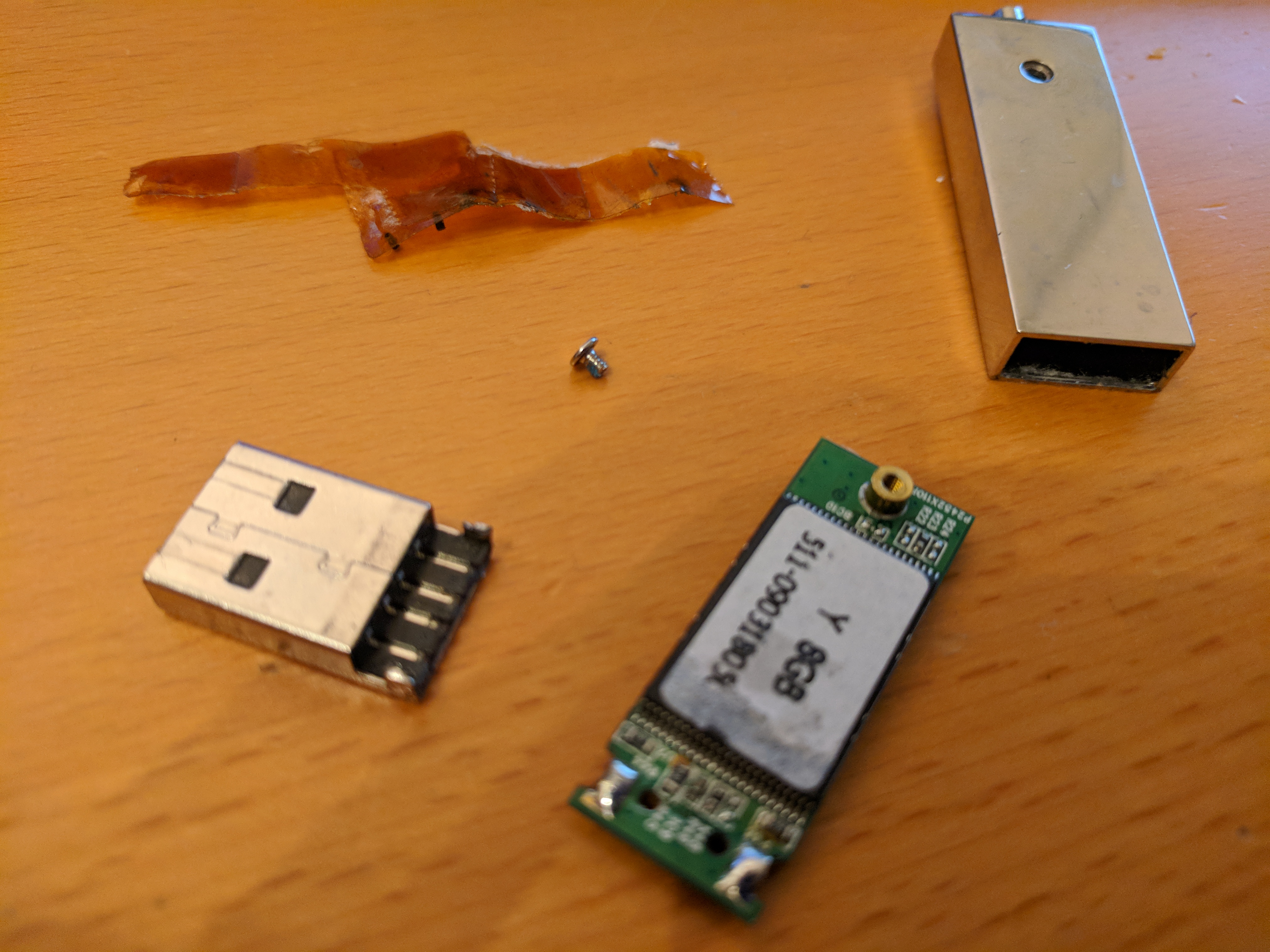
This memory stick (thumb drive, flash drive) had snapped internally and obviously had a bath at some point. I still managed to get all the data off.

New Twitter account

TwitterPlease follow my new Twitter account here https://twitter.com/cbitsITsupport
I’ll still post occasionally on this site as I do now, but the Twitter account will be for more frequent posts like tips and photos of recent tech support work and IT stuff.

Recent Jobs

This topic only gets occasional updates. Not every job I do is included here, but here are some of the recent things I’ve been working on.

Windows Updates. Lots of Windows Update problems. Lots! Windows 7 takes ages to search for updates, and often fails. Windows 8 and 8.1, and Windows 10 often have problems too. There doesn’t seem to be one fix that fixes all problems. If you need your Windows Updates looked at then please let me know. I have a way of doing Updates without having to use the “Check for Updates” feature that can often resolve the issue.

I recently did remote support to help a customer set up a YouTube account, a YouTube Chanel, and upload her first video.

Phone support for a “laptop won’t turn on”.

Phone support for a browser locked by a fake virus warning.

Telephone support for another browser locked with a fake warning, and the screen was turned sideways.


First full day back at the office today for three weeks.

Some of the jobs planned for today:

  • Remote support to solve a lost password problem
  • Reinstall Windows 7 after a virus (customer wants a fresh reinstall)
  • Complete Windows Updates on the above PC. That’s a long job in itself because Windows Updates have been very slow lately, but I can use technicians tools to speed up the process
  • Replace failing hard drive
  • Solve a “Windows Repair” loop problem
  • Reset an old Android tablet and install key apps to see if it’s still usable. Decommission if not
  • Transfer old phone contacts to Google Contacts on an old Samsung phone so the magically appear on the customer’s new phone, then decommission the phone for recycling

I have a few other jobs to do too if I have time.

Installing Service Pack 3 (SP3) on Windows XP


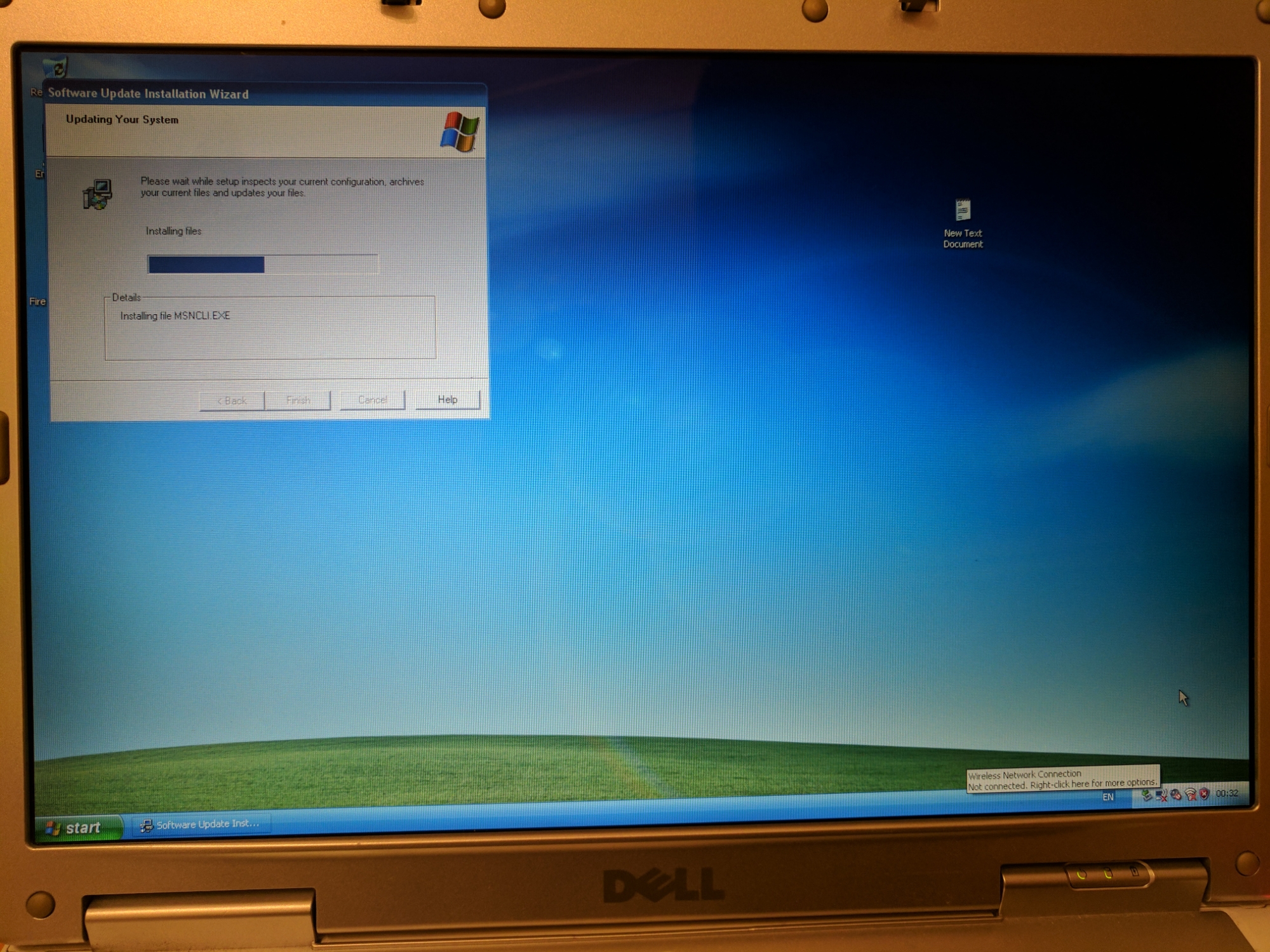
Had enough of ‘buy coins for real money’ to play Age of Empires II wannabe Android apps, so I dug out my c2004 Dell Win XP laptop, reinstalled Windows XP, found a genuine version of SP3 and I’m now installing that.

I need XP3 for some remote login software that might enable me to log in to my laptop from my Android tablet to play AoE II while mobile.